
How to Sync Your Telegram Account with The 10/10 Boys

If you are using the The 10/10 Boys bot on Telegram, there is one step that matters more than most: connecting that activity to your account on the website. Your Telegram sync code is what makes that connection possible.
This is not just a technical detail sitting in the background. It is the part of the process that links your Telegram profile to your account on the The 10/10 Boys website, so your affiliate points and affiliate level stay connected to the right profile. It is also what helps put your account in the right position to unlock special products tied to your progress.
The flow itself is simple. You generate a code inside the Telegram bot, register on the website if you have not already done so, then enter that code inside My Account. Once that is done, the account experience becomes much more connected.
What your Telegram sync code actually does
Your Telegram sync code is the bridge between two parts of the same experience.
On one side, you have the Telegram bot. On the other, you have your account on the The 10/10 Boys website. The sync code connects those two spaces, so the activity linked to your Telegram account is recognised inside your website profile.
That matters because the sync does more than confirm identity. It keeps your affiliate points linked to the right account, keeps your affiliate level attached to the same profile, and supports access to special products connected to that account journey.
Without that connection, the experience stays split. With it, everything feels cleaner, more direct, and easier to manage.
Step 1: Open the Telegram bot and go to Settings
Start inside the Telegram bot.
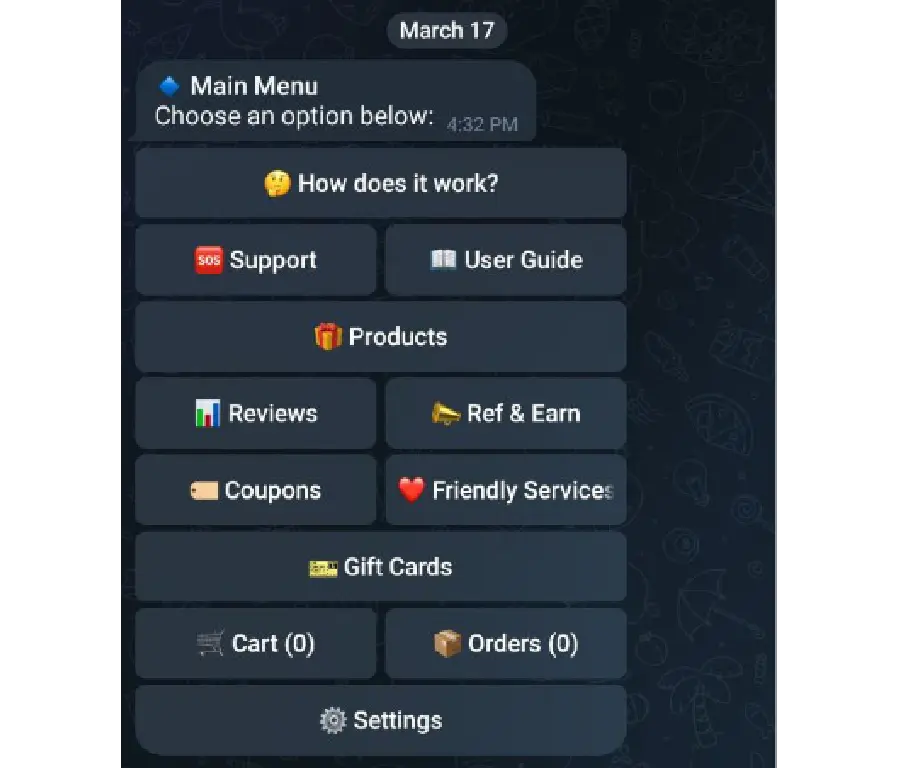
From the main menu, go to Settings. This is where the sync process begins and where you will find the option to generate the code connected to your account.
This part should be quick. You are not filling out a long setup. You are simply moving to the section where the code is created.
Step 2: Generate your Telegram sync code
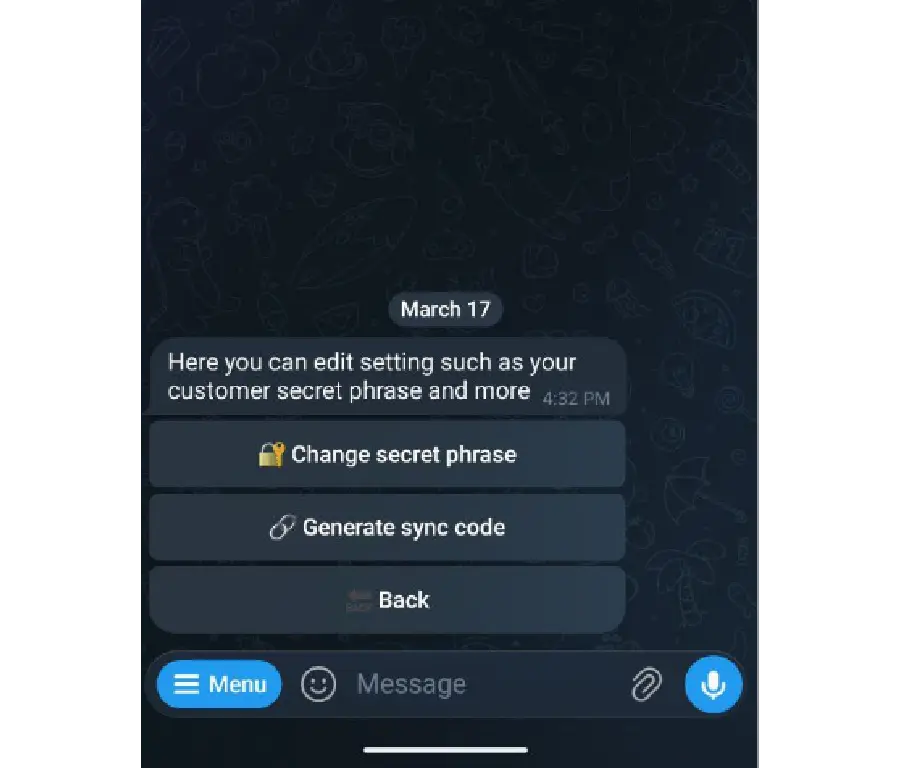
Inside Settings, click Generate Sync Code.
Your Telegram sync code will then appear inside the bot. This is the code you will use on the website, so make sure you copy it carefully and keep it ready for the next step.
Each account has one code once it has been generated. It does not change every time you open the bot, and it does not expire. That makes the process simpler because you are not racing against a timer or dealing with multiple codes for the same account.
Step 3: Register on the website
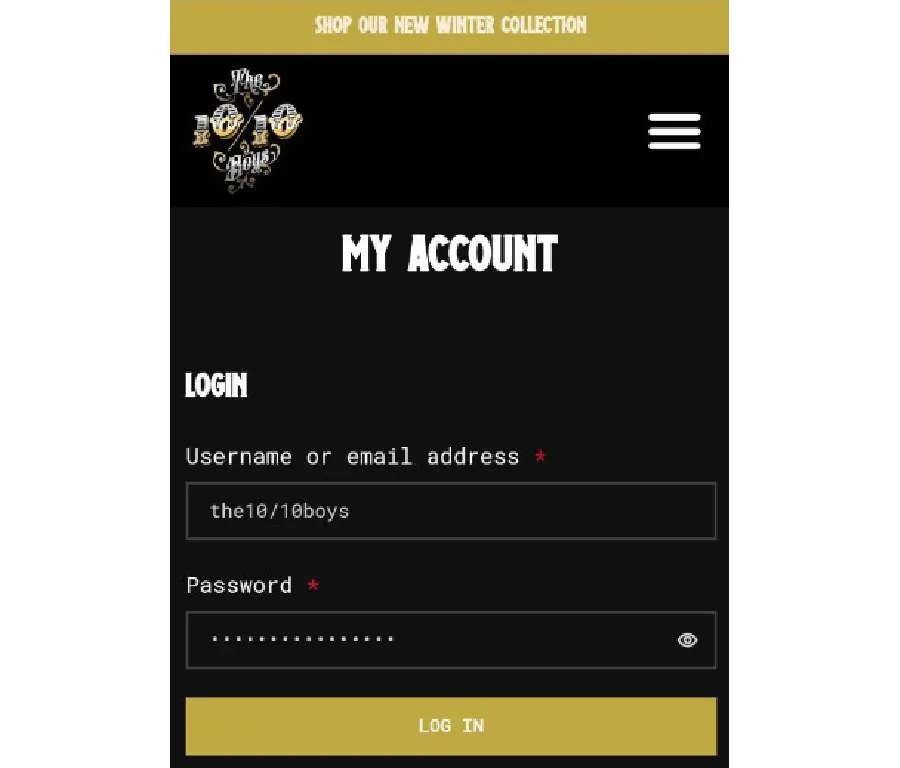
Once you have your code, go to the The 10/10 Boys website and register for an account if you do not already have one.
This step matters because the sync happens inside your website account, not only inside Telegram. The code needs a profile to connect to, which is why registration comes before the final step if you are new to the site.
The process is straightforward: create your account, sign in, and move into the account area where the sync option is available.
Step 4: Enter the code inside My Account
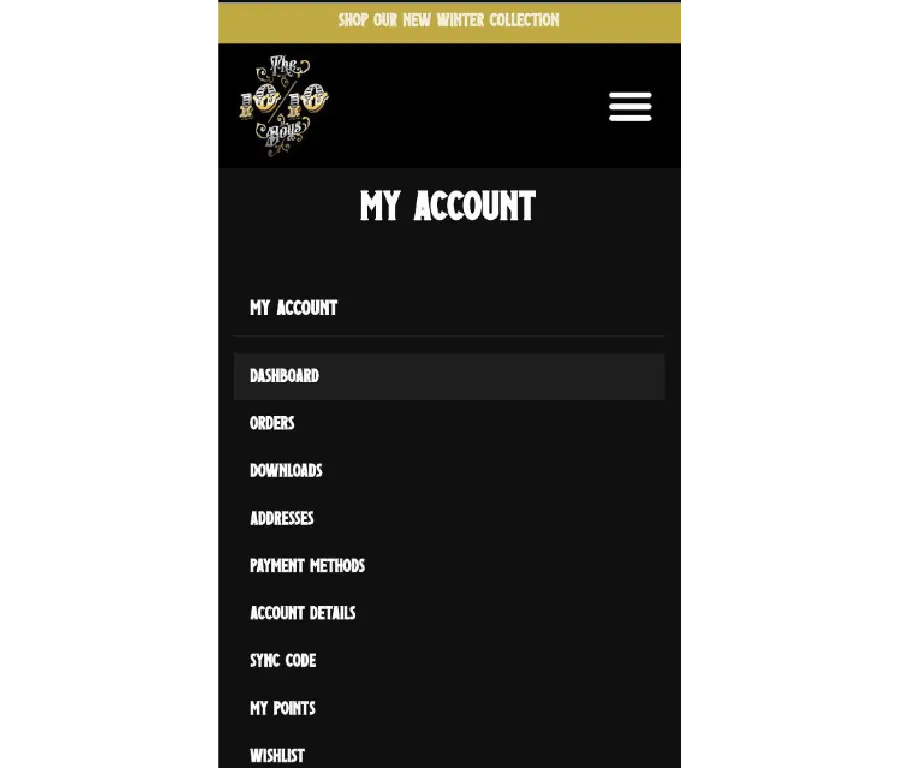
After registering, go to My Account and open the Sync Code section.
This is where you enter the code you generated earlier in the Telegram bot. Once you place your Telegram sync code there, the account link is completed and the sync is in place.
That single step is what connects your Telegram activity with your web profile. From there, your account experience becomes more unified across the system instead of feeling split between two separate touchpoints.
What to know before using your Telegram sync code
There are a few important details worth keeping clear before you complete the sync.
Your Telegram sync code does not expire.
Each account has one code once it has been generated.
Your Telegram account and your website account do not need to use the same email.
And if the code does not work for any reason, the right next step is to contact support.
These points matter because they remove the most common areas of confusion. The process is designed to be simple, and once you understand those details, there is much less friction in getting everything connected properly.
Why this sync matters inside the wider The 10/10 Boys experience
The value of the sync is not just that it works. The value is what it unlocks.
When your Telegram account and website account are connected, your affiliate points stay linked to the right profile. Your affiliate level stays linked too. That means your progress is not disconnected from the place where your account benefits live. It also supports access to special products, which gives the sync a clear reason to exist beyond simple setup.
That is why this step belongs inside a bigger account-based experience. It sits naturally alongside actions that already matter inside the brand ecosystem, including Verify Your Product and other account-led flows that depend on a connected user profile.
One clean setup, one connected account
The strongest systems usually feel simple once the structure is in place. This works the same way.
Generate your code inside the bot. Create your website account if needed. Enter the code inside My Account. That is the setup.
Once that is done, your affiliate points, your affiliate level, and your access to special products are all tied to the same account experience. If you already have your Telegram sync code, the next move is simple: complete the connection and make sure your account is fully set up to get the most from the The 10/10 Boys ecosystem.
And if you want a deeper sense of the brand behind that experience, you can also explore About The 10/10 Boys.